

Last week I wrote about repurposing an old Android phone to run local AI models.
In this follow-up I address the biggest obstacle to running the device 24/7: overheating and how I transformed it into a fully functional personal local AI solution.
Fixing Heating Problem
One of the main challenges I faced was running it 24/7 without overheating the device.
Fortunately, during a brainstorming session with Gemini, I learned about Advanced Charging Control (ACC), a Magisk Module. https://github.com/VR-25/acc
Having already rooted the device for tinkering purposes, I decided to give it a try. Some of the latest phones offer the option to skip charging and run directly on AC power, but since my device was older and lacked this feature, the Magisk module gave me hope.
The process was pretty straightforward to install the module, and once done, I had to reboot the device.
After rebooting, my device could now automatically turn charging on and off at specific battery levels. I kept the default settings, which meant it would stop charging at 75% and start again at 70%. This module prevented constant charging, helping reduce the heat generated from being plugged in continuously.
Llama.cpp Server
Another optimization I implemented involved running the models more efficiently. Previously, I relied on a third-party app to connect to the llama.cpp server on the device, but these apps were often unreliable and glitchy. I discovered that running the llama-server also launches a web UI, accessible at http://localhost:8080, unless explicitly disabled. This allowed me to bypass the faulty third-party apps and directly access the models through the URL.
I faced another challenge: how to switch models according to my needs. I had heard of llama-swap, but since I was running these commands on my Android device, compiling another binary was something I wanted to avoid. Then I found a blog on Hugging Face about model management in llama.cpp, which mentioned that a recent update to llama.cpp had introduced a solution for this issue.
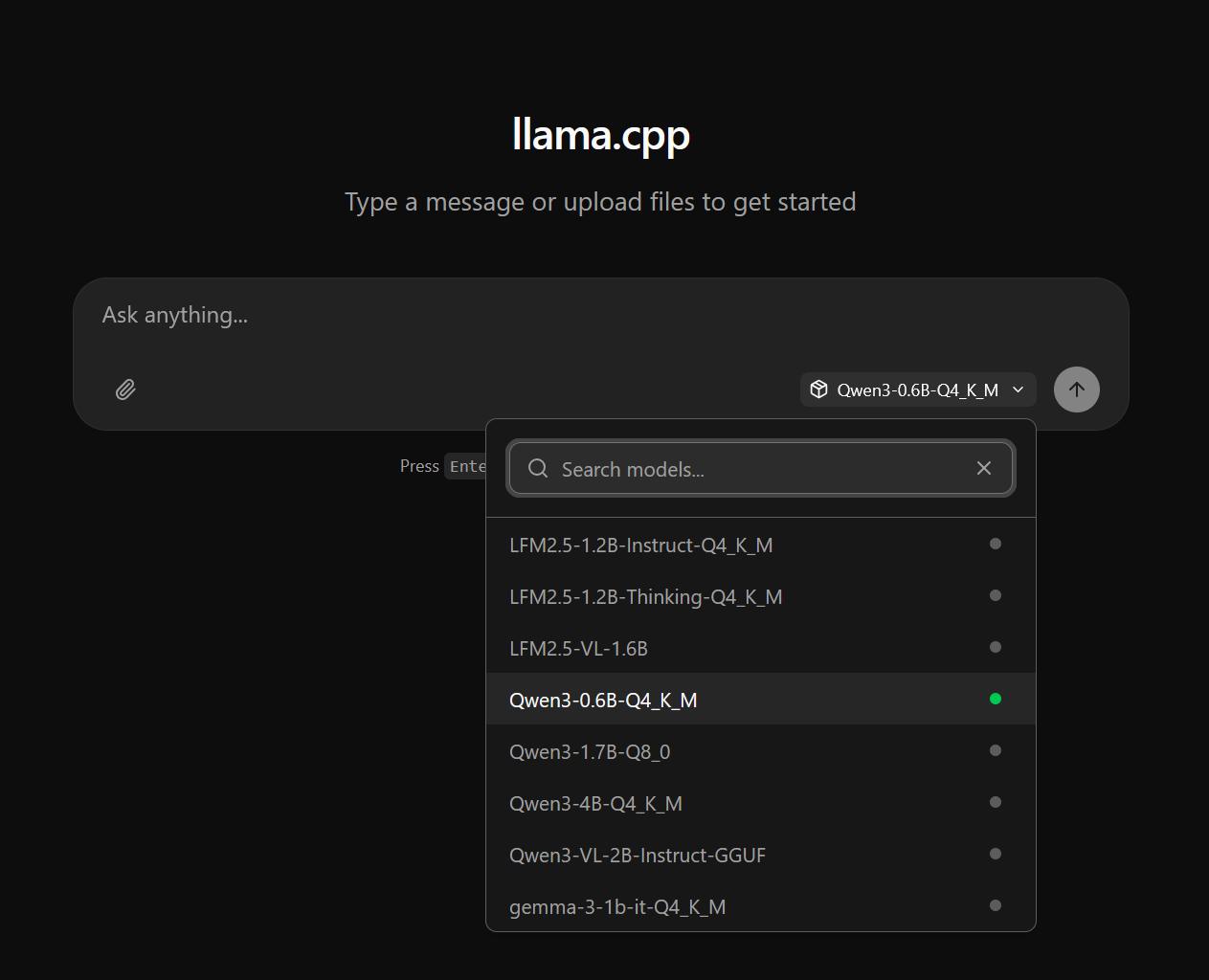
You can now run llama-server --models-dir ./models, allowing users to choose the desired model. In the web UI, you can easily select the model from a drop-down menu.
I simply created an alias that worked for my case and ended up with
llama-server --models-dir ./storage/downloads/models --models-max 1 -c 8192 --sleep-idle-seconds 120
Now, when I open the server running on port 127.0.0.1:8080, I see something like this:
I conducted a simple test on several models by giving each one the identical prompt. After submitting the prompt, I recorded the tokens per second (t/s) performance for each model.




As expected, the 0.6B parameter model was the fastest, while the 1.7B model was the slowest. Both Qwen3 models required a considerable amount of time. The Qwen3 4B model was particularly slow, achieving only about 2 tokens per second, making it impractical for most uses.
Demo
Here's an example of the model in action with a sample prompt I provided:
Closing thoughts
In short, using the Advanced Charging Control Magisk module let me run local AI workloads on an older Android continuously without the device constantly charging and overheating. By having the phone stop charging around 75% and resume at 70%, the battery no longer acted as a heat sink while plugged in, which noticeably reduced sustained temperatures and made 24/7 operation practical on hardware that otherwise would have run too hot.
Key takeaways:
Rooting and ACC worked well for my device but carries risks (voided warranty, potential bricking); proceed only if you’re comfortable with those trade-offs.
Use conservative charge thresholds and monitor temperatures after changes; what’s safe depends on your phone’s age and thermal design.
Combine software measures (charging control, throttling, disabling background apps) with hardware measures (passive heatsinks, improved airflow, occasional breaks) for best results.
Back up your data and test settings incrementally; small adjustments help find a stable balance between uptime and longevity.