
TL;DR:
Start your self-hosting journey in 2026 with affordable hardware, stable software like Debian, and containerization via Docker.
This guide is for anyone who want to take control of their data, starting with family photos and expanding to network-wide services. No advanced Linux knowledge is required.
Introduction
Do you also have 100s of GB of Photos and Videos of you and your family but you rarely see them?
That bothered me too. Finding a solution started my self-hosting journey.
While solutions like Google Photos existed the idea of having to upload all that data and then having to pay a subscription price for something that will not be accessed that frequently did not feel right.
I wanted something which could just reduce the friction of accessing my library and that’s when I came across this great project known as Immich🔗.
What started as running a single self-hosted service, soon exploded, and now I run 30+ services self-hosted and accessible even publicly.
In this blog I’ll go over how you can start your Self-Hosting Journey and How to choose the “right hardware” for your needs.
Hardware Overview
I started off by running Immich in a docker container on my Legion 5i Laptop with 16GB RAM, i7-14650HX, NVIDIA 4060 GPU, this allowed me to test things out first.
Once I was able to setup everything and have it run and felt it would work for my use-case, I started looking into hardware options, as running a big clunky laptop 24x7 was NOT an effective solution.
I debated buying a Raspberry Pi 5, but the price in India was high and combining it with its various HATs increased significantly and it became less of an option for me. Another limiting factor of Pi 5 was its future scalability as I was worried the Pi’s hardware limitations would eventually prevent me from expanding into more complex services.
Ultimately, I settled and bought an old mini PC. I bought a refurbished HP Elitedesk 800 G2 mini for ₹11,500.
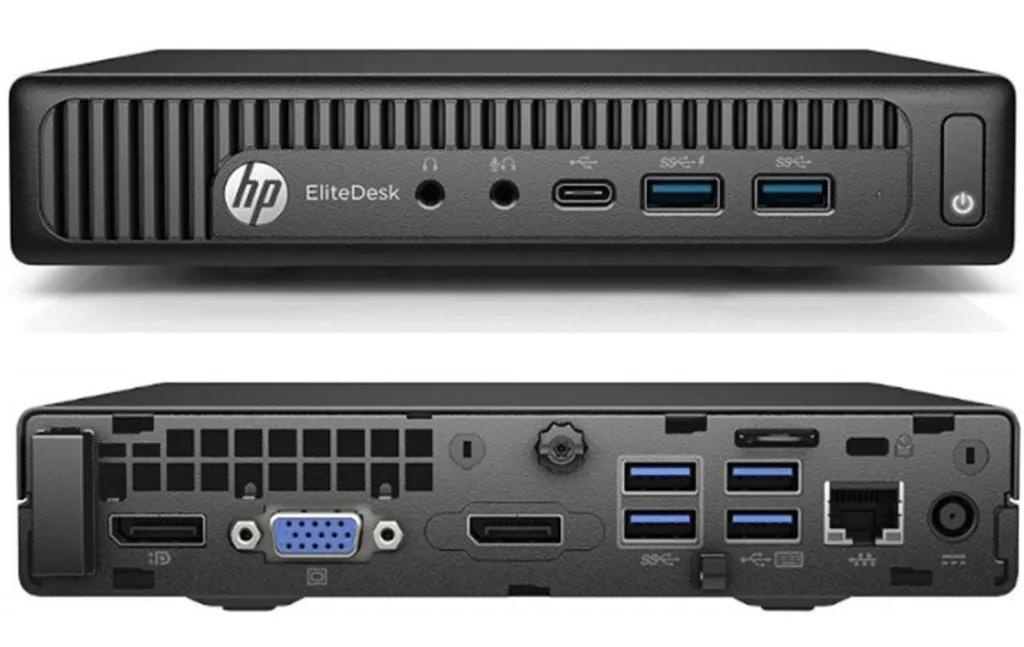
The configuration I currently have for my mini PC are:
CPU: i5-6500T
RAM: 8GB DDR4
Storage: 256 GB NVME SSD, 256GB Internal Sata SSD
External Storage: 500GB HDD connected over USB
Networking: 1Gbps Ethernet
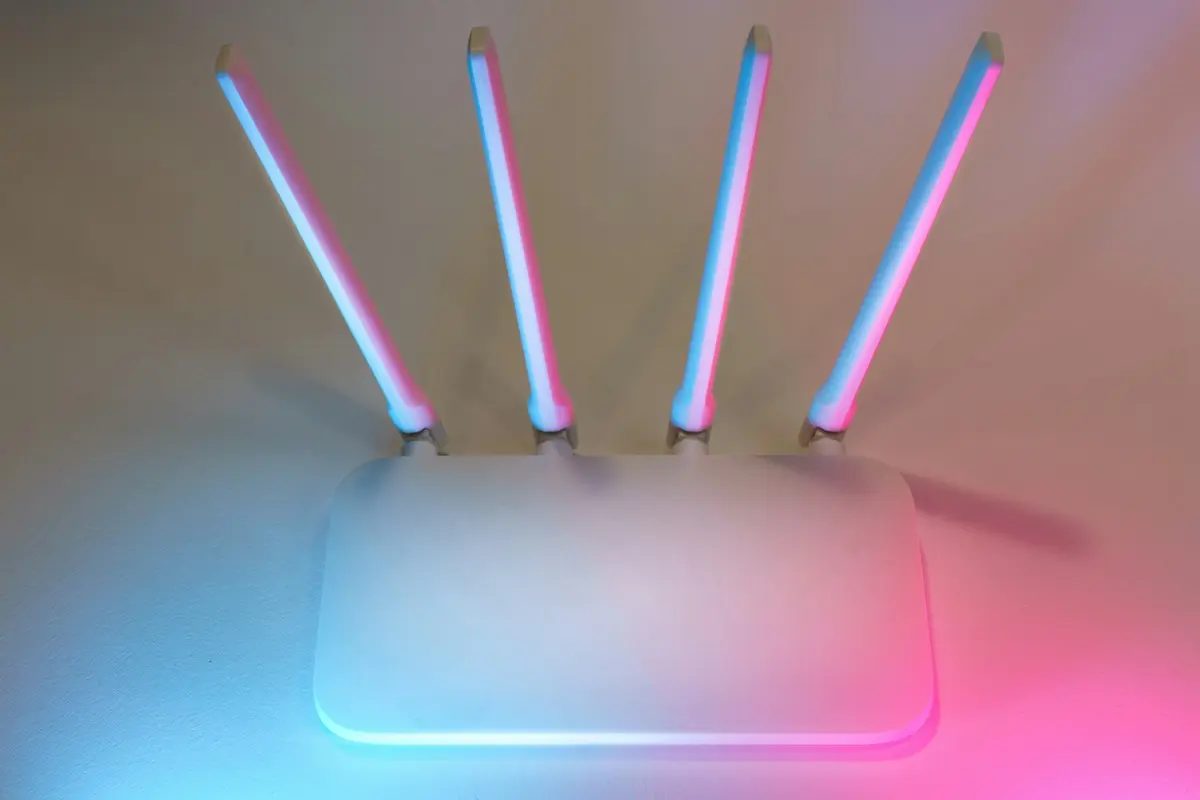
I have my server connected to my router via an Cat 5e Ethernet cable.
How to choose the Hardware?
If you are just getting into self-hosting, then I would recommend first asking yourself these 2 questions:
Why do you want to do it? What services do you plan on self-hosting?
Who are you self-hosting for? How many users will this system support?
If the answer for 1st is only couple of services and the answer to 2nd question is < 5 then you don’t need to necessarily invest big upfront and rather I would recommend utilizing any old PC/Laptop you may already have.
With that said, If you do want to buy a new hardware, I would recommend NOT buying a SBC like Raspberry Pi, simply because getting a Mini PC or an actual full size system will give you much more headroom should you choose to expand your services (which you will, speaking from experience 😅)
Go for at-least 8 or 16GB RAM and at-least 256GB of internal NVME SSD. While I use a 6th Gen i5-6500T, which remains an excellent budget entry point in 2026 due to its low power and cost, you might also consider 8th Gen+ Intel CPUs for official Windows 11 support and better QuickSync, or 10th/12th Gen for modern AV1 decoding/encoding. The key is that you can start with almost anything and scale up later.
You can treat the internal SSD as premium storage and use it only for the primary system and then have all your data stored on hard-disk which would be much more economical and would simply work for pretty much all the use-cases.
Software / OS
To effectively utilize my machine as a server, I installed Debian 12 (now upgraded to Debian 13) for its stability, something crucial for a system I plan on running 24x7.

As I planned on using terminal primarily to access my system, I installed Xfce4 as my desktop environment, to keep the system resource usage low and prioritize them for the services I would be running.
I then installed Docker & Docker Compose as I would be running all the services in containers, this would allow me to keep things clean on my system, also have all my services isolated and try out different services and restart from scratch if I mess things up.
I also set up SSH server to ensure I can access my machine via terminal and xrdp to be able to RDP into my system when needed.
In another blog I’ll cover in detail all the software/packages I use and how i have them set up.
How to choose the OS?
If you are new to Linux, look for a distro which would be much closer in terms of the UI you are familiar with. OR if nothing use Debian, it is stable, it ships updates on a regular manner and you can just run it with install-and-forget mindset.
Regardless of what distro you choose you can always change the UI (desktop environment) later on. I started with Xfce but then also install KDE Plasma and now I can choose between the two when I log into the system directly.
Network Diagram
This is what my current network architecture looks like.
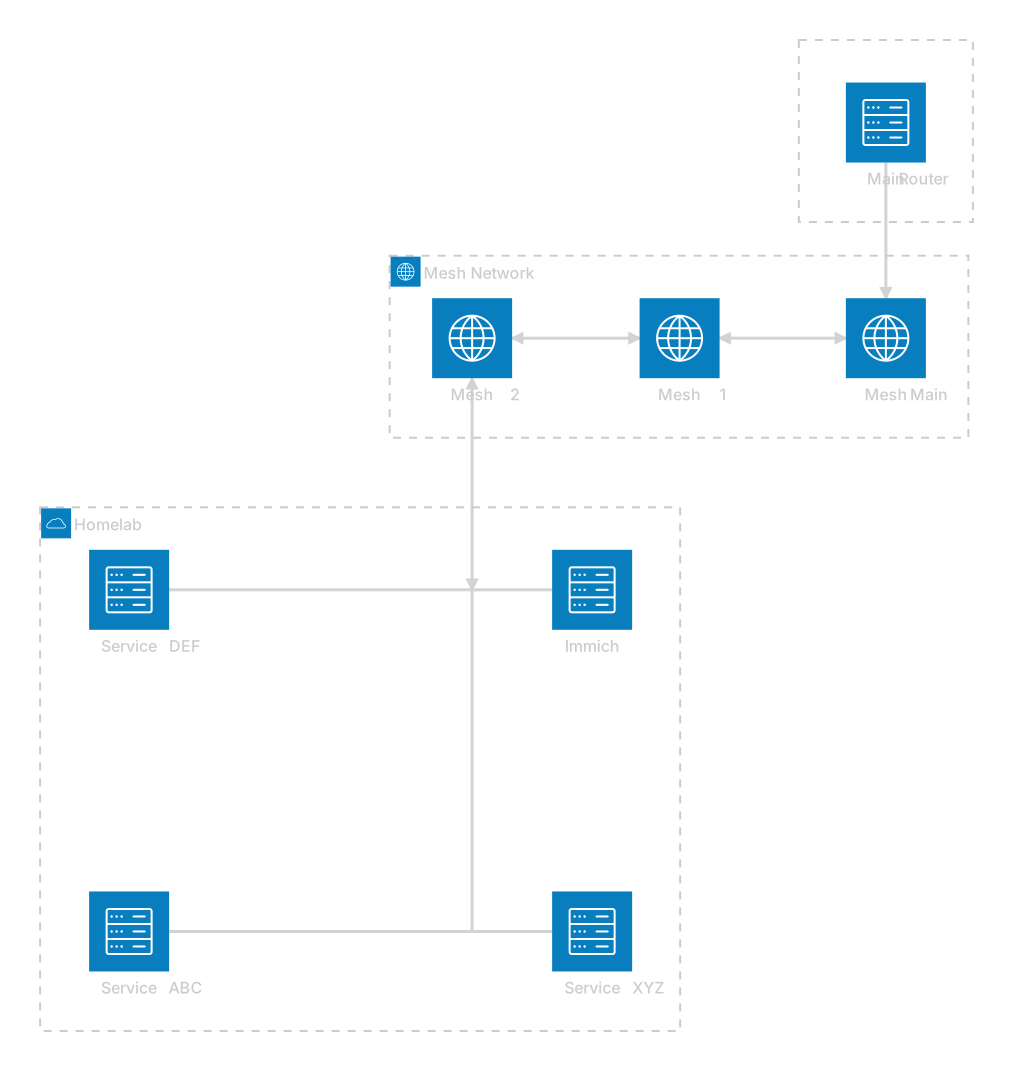
My server currently is connected directly to the Wifi Router over Ethernet and I tend to keep the WIFI off on it, and I have also assigned it a fixed IP in my Router settings in-case I plug it out from Ethernet and connect over WIFI.
The fixed IP is crucial, not just for ad-blocking, but to ensure you can always find your server via SSH or access your hosted services without the address changing.
You can read more about setting up ad-blocking here: https://nkaushik.in/writing/adguard-home-for-families-how-to-stop-ads-and-trackers-without-installing-extensions
Backups: Protect your Data
The most important rule of self-hosting is: RAID is not a backup.
Since your family photos are likely the most precious data you’ll host, a robust backup strategy is critical. I recommend the 3-2-1 strategy:
3 copies of your data (Original + 2 backups).
2 different media types (e.g., Internal SSD and External HDD).
1 copy offsite (Cloud storage like Backblaze B2 or AWS S3 using tools like Restic for automated, encrypted backups).
We often overlook that with self-hosting, we are responsible for both reliability and security
What’s Next?
Once you set these 3 main pillars i.e., Hardware, Software & Networking, you are ready to start your self-hosted journey.
This blog is just the beginning. In my Homelab Series, I’ll be covering a lot more services in detail:
Media: Setting up Jellyfin or Plex for your movie collection.
Photos: A deep dive into Immich for your family memories.
Monitoring: Using Uptime Kuma and Ntfy for real-time status and notifications.
Remote Access: Safely accessing your services from anywhere via Cloudflare Tunnels or Tailscale and setting up Zero Trust
Update:
Checkout the other Self-Hosting posts:
Immich Guide http://nkaushik.in/writing/replace-google-photos-self-host-immich-in-2026
AdGuard Home https://nkaushik.in/writing/adguard-home-for-families-how-to-stop-ads-and-trackers-without-installing-extensions
💬 Frequently Asked Questions (FAQ)
What is the best hardware to start self-hosting in 2026?
The best budget hardware to start self-hosting is an old refurbished Mini PC (like an HP Elitedesk or Lenovo ThinkCentre) with at least an 8th Gen Intel Core processor, 8GB to 16GB of RAM, and a 256GB SSD. It is more scalable, powerful, and cost-effective than a Raspberry Pi 5.
Why is Debian recommended as the operating system for self-hosting?
Debian (such as Debian 12 or 13) is highly recommended for homelabs due to its legendary stability, low resource footprint, and massive package ecosystem. It runs with an “install-and-forget” reliability, ensuring that your home server stays online 24/7 with minimal administrative overhead.
How does Docker simplify homelab self-hosting?
Docker and Docker Compose simplify homelabs by containerizing each service. This isolates their dependencies, keeps the base operating system clean, and allows you to spin services up, update, or completely delete them without breaking other components.
What is the 3-2-1 backup strategy for homelabs?
The 3-2-1 backup strategy means keeping 3 copies of your data (1 primary, 2 backups) stored on 2 different media types (e.g. your local SSD and an external HDD), with 1 copy stored offsite in the cloud (such as encrypted backups on Backblaze B2 or AWS S3 via Restic).
Now go ahead and start hosting!